 MyRecon OSINT
Find a GitHub Profile: Search Syntax & Privacy Checks
GitHub has separate personal and organization accounts, public repositories and profile fields. An exact handle URL is a useful starting point, but repository activity and a display name do not identify a person. This guide shows the GitHub search syntax and the fields worth checking in your own public profile.
MyRecon editorial · Updated 2026-10-03

Check it manually
- Open github.com/HANDLE or GitHub user search with user:HANDLE.
- Confirm the resolved account type and current handle before reviewing repositories.
- For your own account, review profile email and commit email settings separately.
Search a handle or restrict the account type
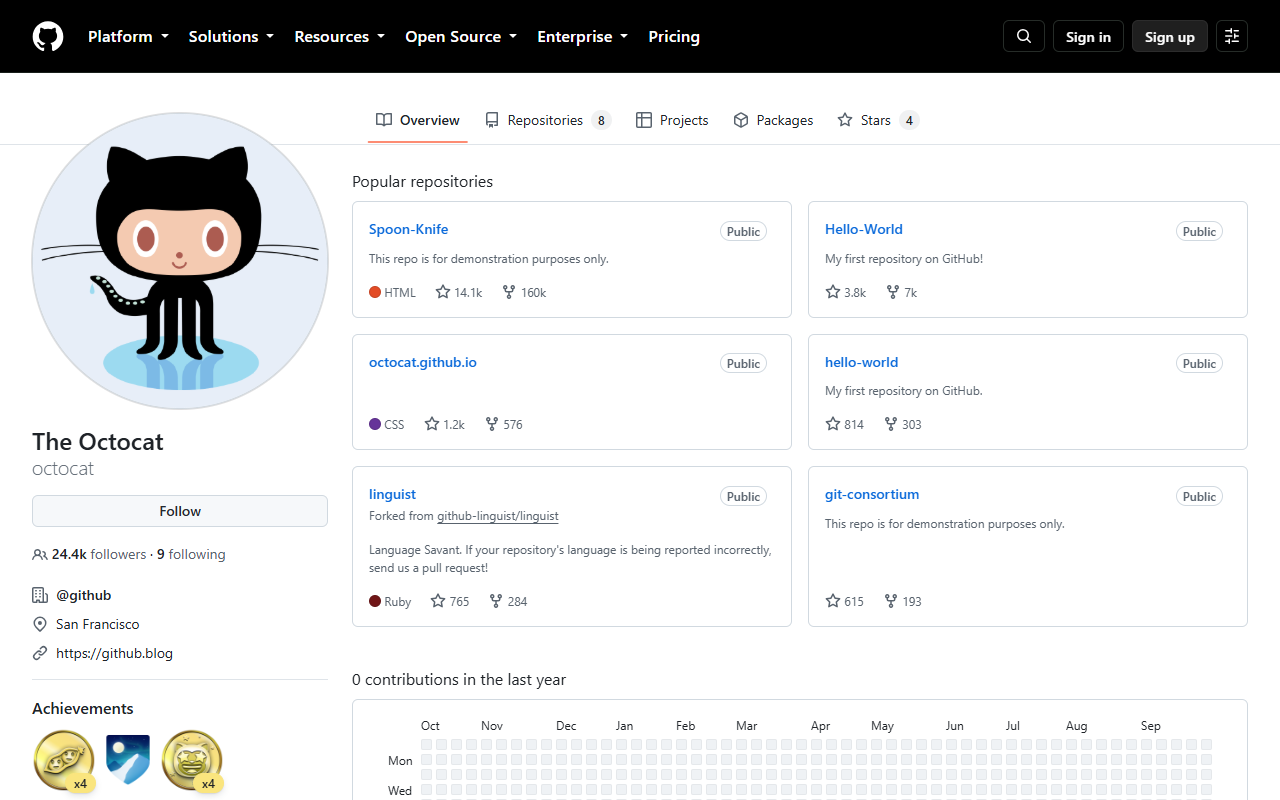
Open https://github.com/HANDLE with the known handle, or use GitHub user search. The documented query user:octocat selects that username; octocat is GitHub's public example account. To restrict a broader search to personal accounts, add type:user. Use type:org for organizations. A query such as example in:login type:user searches username text; example in:name searches the displayed name. These fields answer different questions and a full-name result can contain many unrelated people.
Read the profile separately from repositories
Confirm the final URL and whether it is a personal or organization page. Review the public biography, self-linked website and profile README. A repository owned by an organization is not proof that every contributor represents it. Forks are copies of repositories; their presence does not establish original authorship. Contribution graphs can include activity whose underlying repository is private, so a graph cannot reveal the private code or project contents.
Audit your email exposure
In your own GitHub settings review public profile email and commit email separately. Hiding your profile email does not remove an address embedded in old public commits. GitHub documents a no-reply commit address and controls for blocking command-line pushes that expose your email. Apply those settings for future commits, then inspect the public commit information in repositories you control. Rewriting shared history requires coordination; do not promise that removing an address from one repository removes every clone.
Worked example and verification limits
Reproduce the documented query user:octocat and compare its result with https://github.com/octocat. This is a provider-documented public example, not a claim that the account belongs to you. For a project account, a link from the official project website can support a public association. A same-name profile, similar avatar or repository star is weaker evidence. Record the final profile URL and observation date, and keep current control or legal identity outside the conclusion.
What the MyRecon check covers
The standard release catalogue includes GitHub. Its username check supplies a public profile lead, not repository secret scanning, private repository access or an audit of every commit. MyRecon checks a catalogue of 500+ platforms; guests get previews and signed-in free accounts have daily limits. Paid Extended scans have a separate scope. Challenges or rate limits can leave a check unknown, and a failed request is not proof the profile was deleted.
Check a public username
Guest previews and account limits apply. See current pricing. Verify each candidate at its source.
Frequently asked questions
How do I search only personal accounts?
Add type:user in GitHub user search. Use type:org for organizations and user:HANDLE for a known username.
Does hiding my profile email hide old commit emails?
No. Profile and commit email exposure are separate. Review your public commits and future commit settings.
Does MyRecon inspect private repositories?
No. The public username check does not access private repositories or perform repository secret scanning.
Sources and method
The signed-out octocat page was opened and captured for this release. Other examples are illustrative and search syntax is attributed to GitHub documentation. Private-account settings and email-change flows were not exercised.